Personalising your welcome book
Background, colour and font settings, plus checking the welcome book on a phone.
The essentials. To personalise your StyQR welcome book, create the welcome book, add the information your guests need, then open " Personalisation " to pick a ready-made style or adjust the background, colours and fonts. A cover photo can also inform the palette. Save your choice and open the welcome book on your phone via its link or QR code : a pretty cover is useless if the access code is hard to read.
Prepare the content before working on appearance : title, property address, check-in, wifi, access codes, local recommendations and useful numbers. If you are unsure what to include, the welcome book template for holiday rental follows the flow of a stay. Customisation comes afterwards. It helps the guest recognise your property, without replacing precise instructions.

Where to start when personalising your welcome book ?
Create your welcome book, give it a title and enter the accommodation address. Then fill the modules you want to show to guests. An empty or hidden module does not become useful just because its colour is right.
Open " Personalisation " to adjust appearance. The FAQ on the welcome book and its modules confirms the current settings : background, colours, typography, icons, cover and the presentation specific to each module. If you are still discovering the format, first see what a digital welcome book contains ; the work described here concerns its appearance.
Choose a ready-made theme or fine-tune every detail ?
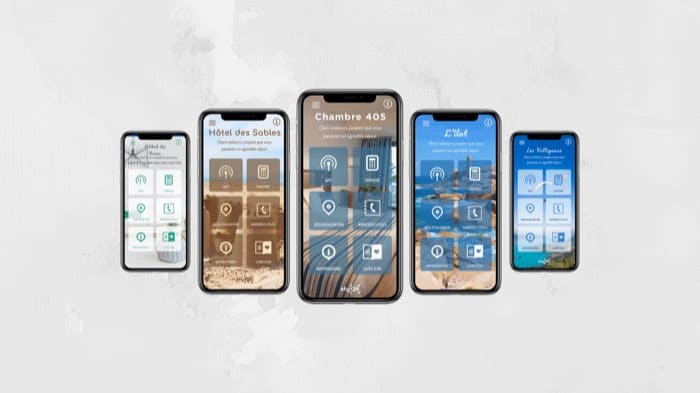
Start with a ready-made theme if you want a coherent result without selecting every colour. You can also begin from a cover photo or a single colour. The customisation settings details notes that StyQR offers 49 ready-made styles and 218 fonts, with a global style you can adapt module by module.
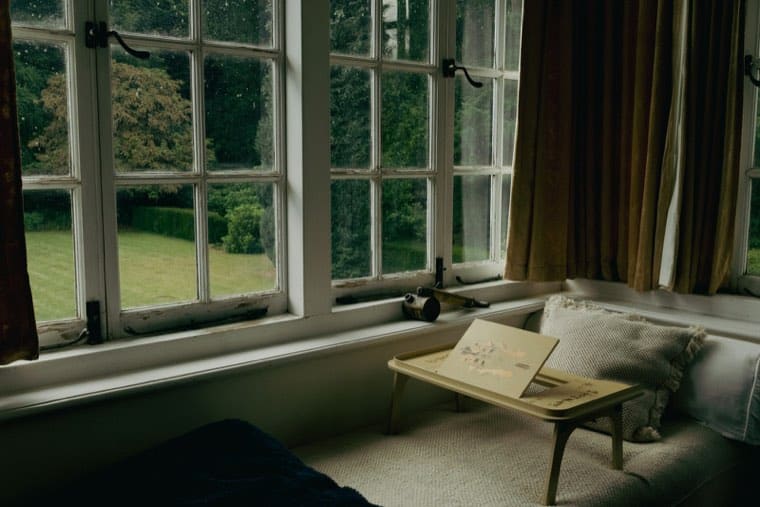
The previous version of this sheet listed themes like " nature ", " mountain ", " sea ", " forest " and " big cities ". Keep these as mood ideas, not as a guaranteed list of labels currently shown in the editor. To choose, use a real photo of your property rather than an image promising a view that won’t be there on arrival.
| Starting point | What you set | What it avoids |
|---|---|---|
| Ready-made style | You pick a style, then check the rendering. | Having to select every colour without a design guide. |
| Cover photo | You start from an image of the property and tweak the suggested palette. | A welcome book with no visual link to the booked accommodation. |
| Custom settings | You adapt background, text, icons and module layout. | Forcing the same presentation on information that should be read differently. |
| Saved style | You reuse your choice across several welcome books. | Repeating the formatting for each property. |
For a single property rented occasionally, a shared, readable document may suffice. The comparison between digital welcome book and PDF/Canva helps decide : with StyQR, you can reuse a saved style across several welcome books and update the content available via the existing link.
How to set the background, fonts and colours ?
Choose a solid background or a photo first. With an image, watch where the texts fall: a white title on a bright sky disappears quickly. Colours may be suggested from the cover; still check buttons, instructions and codes before keeping the palette. Prefer a high-resolution photo so it does not appear blurry when imported. Also favour a portrait-format photo as your welcome book will be mostly viewed on a phone, so portrait is more suitable.
Next set the font and its size for areas that carry useful information. The typographic choice must not slow the reading of a password or a time. If your interface offers an opacity control, test its effect on the photo and on the text rather than assuming a more transparent background will be more readable.
The previous sheet fixed 750 KB as the maximum size for a background image. Current product pages consulted do not confirm this threshold : do not prepare your file according to that old guideline. If the import is rejected, the editor will give the constraint applicable to your image.
How to check readability on a phone ?
Save your changes, then open the welcome book with the link or QR code on your phone. Look for the address, entry code and wifi without using the editor. According to StyQR’s internal data, 91 % of openings of its welcome books are on mobile : that is the screen to check first, before the desktop view. The StyQR tutorials demonstrate personalisation and sharing of the welcome book.
For body text, criterion 1.4.3 of the W3C Web Content Accessibility Guidelines (WCAG) 2.2 sets a contrast ratio of at least four and a half to one, with an exception to 3:1 for enlarged text. This guideline alone does not declare your whole welcome book accessible. It gives a concrete reason to check contrast, especially when text overlays a photograph.
Also test the tablet or desktop view if your guests use them. StyQR lets you set the modules’ grid separately per screen. A code readable on your large screen may still require awkward zooming on arrival.
Frequently asked questions
Do I need to validate the welcome book before personalising it ? Current product pages no longer list that validation as a prerequisite for a Premium personalisation plan. Create the welcome book and look for " Personalisation " in your space. If your screen differs, follow the interface instructions rather than the steps in the old sheet.
Which preset themes are available ? StyQR states it offers 49 ready-made styles. The previous sheet named " nature ", " mountain ", " sea ", " forest " and " big cities ", but we have not confirmed these labels in the current interface. Choose the style you actually see in your editor.
What is the maximum size for a background image ? The previous sheet mentioned 750 KB, but current product sources consulted do not confirm that limit. We cannot therefore give a reliable maximum here. Prepare a web-optimised image and check the instruction shown during import.
Can I check my customisation before publishing it ? Yes : save the settings, then open the welcome book via its link or QR code on your phone. Browse the information as a guest would. Pay particular attention to text placed on a photo and to access codes.
Can I adjust colour opacity ? The previous sheet described an opacity control, which current documentation does not detail. If it appears in your editor, adjust it while checking text contrast. Otherwise, start from a background colour or a ready-made style.
How do I access the custom personalisation form ? Open your welcome book, then the " Personalisation " section. Current product sources place background, colour and typography settings there ; they no longer confirm a path via a " sur-mesure " symbol. Do not try to subscribe to an old Premium plan to reach these settings.
On the same topic