Wifi: an essential welcome book feature
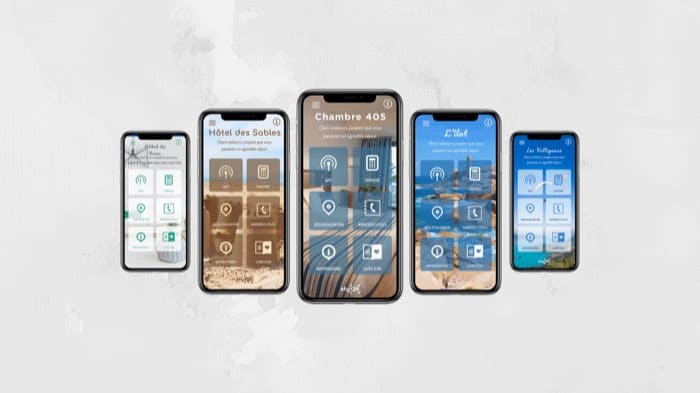
You have a good wifi connection in your rental but struggle to pass on the details? Try our module!
These days, and even more so given the current climate, wifi has become an important criterion when people search for somewhere to stay. Finding the code quickly, without having to type in an endless password, is essential. Here is why we made it a priority in our welcome book.

Why wifi?
The point is simple, especially right now with remote working. Whether you want to get away to work or simply go on holiday (particularly abroad, where mobile plans do not always work), having a good wifi connection matters.
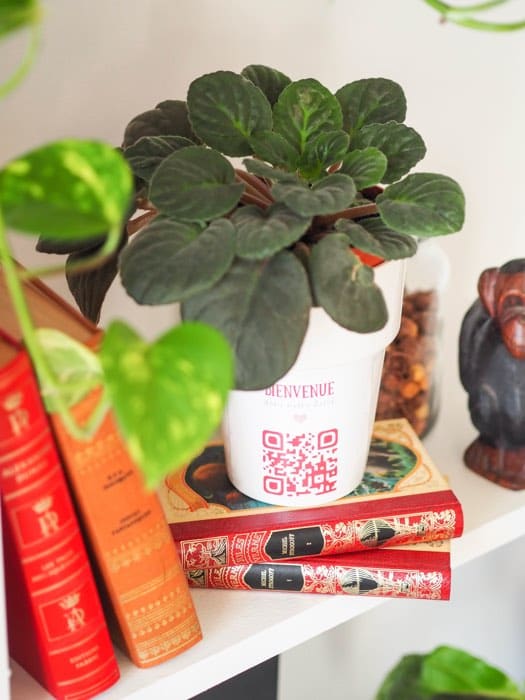
There is one small drawback: the length of the code. You know the situation: a code with 10 digits, 15 letters in upper and lower case and 5 special characters. With us, no worries: your guests scan the QR code and there you go, the wifi connects.
If you are still not convinced, here is an experiment without wifi.

Two ways to share your wifi code: the traditional method and StyQR's digital solution.
| Method | Risks and drawbacks | With StyQR |
|---|---|---|
| Handwritten note | Can blow away, get lost, become unreadable, or contain transcription errors | Scannable code via QR, no manual entry required |
| Long code to type (10 digits, 15 letters, 5 special characters) | Slow connection, frequent typing errors, guest frustration | Instant connection by scanning the QR code |
| Placement: where is the password? | Need to explain its location to each guest, confusion among guests | Displayed in a visible and easily accessible place, no explanation needed |
Why do you need StyQR?
We know what you are going to say: why use an app when I could simply write it down on a sheet of paper?
Quite simply because your sheet of paper can blow away or go missing, and the password can be illegible or wrong. With us, your guests just have to switch on their phone and scan the QR code: simple and effective. Put it somewhere visible and easy to reach and everyone can use it, with no need to ask "where did you put the wifi password again?" And what about you: what is the first thing you do when you arrive somewhere? Have you also had to battle with a wifi code for several minutes?
Frequently asked questions
How do my guests connect to the wifi with StyQR? They scan the QR code in the digital guidebook and the connection happens automatically. No need to type out a long password full of uppercase, lowercase and special characters.
Why not just write the wifi password on a piece of paper? A piece of paper can blow away, get lost or become illegible, and a hand-copied password often ends up with a typo. With a QR code displayed somewhere visible, everyone can connect without having to ask where it is.
Why has wifi become such an important criteria for travellers? Remote work has changed expectations: people want to get away while still keeping a reliable connection. This is even truer abroad, where mobile data plans do not always work.
Does the wifi QR code work for all guests, even those who are not comfortable with technology? Yes, that is the whole point: turning on your phone and scanning the code is enough. No extra steps are needed, which saves you from explaining the process at every check-in.
Is wifi the only information StyQR displays as a priority in the guidebook? It is the feature we chose to prioritise, precisely because it is one of the first things a traveller looks for on arrival. Other practical information naturally finds its place in the guidebook afterwards.
On the same topic