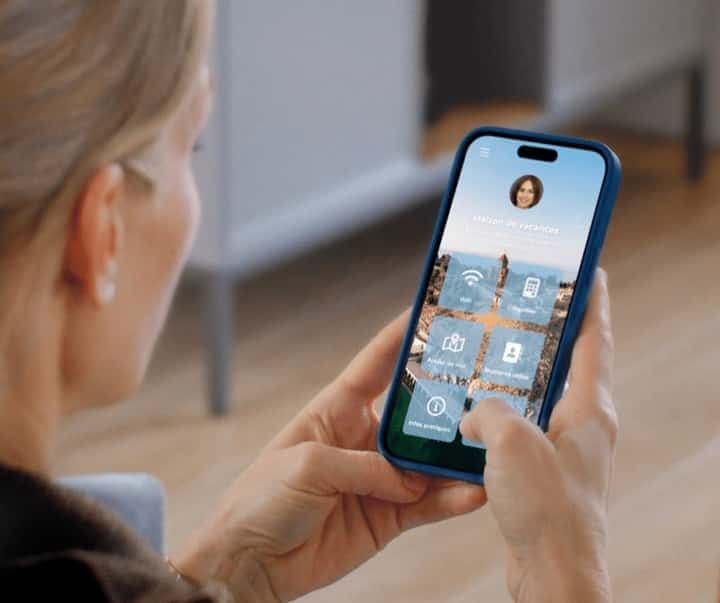
Paper welcome book and ski resorts: the mismatch
This guide compares paper and digital welcome books in ski resorts, then shows which information should remain accessible without a connection.
The essentials. In a ski resort, a loose sheet quickly gets dirty or lost, but a digital welcome book does not solve everything: you need a connection to open it. Keep the Wi‑Fi code and the essential arrival instructions on a fixed, easy-to-read support. Put information that changes during the season, such as contacts and property instructions, in a digital welcome book. Check the mobile coverage at the property address and send the welcome book link before the stay.
The paper welcome book seems easy to prepare. In winter, guests enter with wet boots, hang damp clothes and sometimes pull the sheet from the bottom of a pocket. The problem is not paper itself: it is the vital information that exists in a single copy, in the wrong place.

False good ideas
We have seen several alternatives to the paper welcome book. They can be helpful until the moment someone really needs to read what is written:
The inventory of cupboards written in pen on the cupboard door.
The Wi‑Fi code written on a chalkboard on the back of the door, then erased between stays.
The sheet taped to the wall, covered with adhesive tape to prevent stains.
These solutions age poorly and make correcting a code or timetable awkward. The most annoying flaw is not aesthetic: if the information becomes illegible, the guest calls you to obtain it. To prepare your content before choosing a support, consult the welcome book template organised in the order of the stay.

The real solution: the digital welcome book
For information likely to change, switch to the digital welcome book. You can correct content without hunting for the old sheet or reprinting one for every guest. With the StyQR digital welcome book and its features, the link can be sent before arrival and the QR code displayed in the property. The guest opens the welcome book on their phone or tablet, provided they have a connection.
You can group Wi‑Fi details, entry codes and useful numbers there. The page about Wi‑Fi codes and property access explains how to name each door and describe how to open it. Write “key box under the stairs, code 3080” rather than “see the entry code”.
The welcome book accompanies the guest without loose sheets. It does not, however, guarantee a charged phone or permanent network access. the older article on StyQR Premium and its modules describes an offer from another period: to choose today, rely on the current features and pricing rather than its former distinctions between plans.
Here is how the solutions compare on arrival at the property. The last column shows the question each support must be able to answer.
| Solution | Risks in the mountains | Question it leaves the guest |
|---|---|---|
| Paper welcome book | A loose sheet can be soiled by wet boots or lost among clothing. | “Where did I put the instructions?” if it has no fixed place. |
| Chalkboard with Wi‑Fi code | The code can be erased between stays. | “What is the password?” before they can even connect. |
| Sheet taped to the wall | The tape gets dirty and the sheet must be replaced with every correction. | “Is this information still valid?” |
| StyQR digital welcome book | The content does not get dirty, but the page will not open without a connection. | “How do I get Wi‑Fi?” if the code is only available in the welcome book. |
Which information changes during the season?
First reread the property instructions: heating settings, where to dry boots, access to the ski room and who to contact if a lock jams. An exact instruction in November may no longer be correct after a code or contact changes. The information to update in a welcome book for winter is already covered in a separate guide; here, the question is which support to use.
Do not copy an avalanche bulletin into the welcome book as if it will remain valid for the whole stay. Météo‑France publishes avalanche risk bulletins for the relevant massifs: tell guests where to find the current information and remind them to follow the resort’s safety instructions. A printed screenshot does not update when the snow falls.
How to access the welcome book without a connection?
Before the season, check coverage at the property address on Arcep’s “Mon réseau mobile”. Compare operators, then test opening the link inside the property. The map provides information on coverage and quality of service; it does not replace an on-site test.
Send the link before arrival, but also leave the network name and password near the entrance in legible characters. The guest can connect and then open the welcome book. If the code changes, update the on-site support at the same time as the digital welcome book information. Correcting only one of the two supports creates two different answers to the same question.
Should you keep a paper support?
Yes, if that support answers a question before the guest can open the welcome book. Fix the Wi‑Fi code near the entrance, the essential on-site access steps and a reachable contact. For an occasionally rented property, where these details change little, a printed document kept up to date may suffice. The StyQR welcome book adds the ability to update shared content without sending a file to each guest.
StyQR also offers a printable PDF derived from the digital welcome book: both supports can therefore start from the same content. You must always replace the copy left in the property after a change. Our internal observation is that 91 % of StyQR welcome book views are on mobile; this describes how our welcome books are used, not the network coverage of your resort.
Frequently asked questions
Why is the paper welcome book problematic in a ski resort? A loose sheet can get soiled by wet gear or lost among clothing. The real risk appears when it contains the only copy of information needed on arrival. Give it a fixed place or keep this information on another accessible support.
Is writing the Wi‑Fi code on a chalkboard not enough? It can be erased between stays. Instead display the network name and password on a legible support that you check when preparing the property. The code must be available before opening a welcome book that requires a connection.
What concretely replaces the paper welcome book? A digital welcome book gathers property information on a page you can correct without reprinting. Send its link before arrival and display its QR code on site. Still keep the Wi‑Fi code and essential access instructions outside the welcome book.
Do you have to make a new sheet for each guest with a digital welcome book? No. The same link gives access to content updated for subsequent stays. If you keep a printed copy in the property, replace it as soon as any information it contains changes.
Does StyQR Premium add anything extra? The article about StyQR Premium describes a previous presentation of the offer. It does not allow a comparison of the plans currently offered. Check the current features and pricing pages before choosing.
On the same topic