Top 3 safety tips for Airbnb hosts
Thinking of embarking on the Airbnb adventure? Give some thought to your safety as a host by following our 3 tips.
Are you ready to rent out your home on a short-term basis with Airbnb? It is a great opportunity to earn some extra income while you are away on holiday. However, even though Airbnb has a robust system for screening potential hosts and guests, and requires members to abide by a set of rules, unforeseen risks can still arise. It is therefore important to safeguard your safety by following these 3 tips from StyQR.

Get insured!Airbnb runs an insurance programme for host protection. It is a public liability cover of up to roughly 800,000€ per claim. This applies in the event of legal action brought by tenants for personal injury or property damage during their stays with Airbnb. However, the platform does not protect you against any damage to your home (wine splashes, breakages, theft, etc.). So do seriously consider taking out suitable insurance of your own.

Technologyworking for your safety An access control system lets you give your guests digital access to your property via their smartphone. That saves you from having to hand over physical keys that can easily be copied or lost. Through an app, the access pass is sent to your guests in a single click, and as soon as they leave, you can easily revoke access, wherever you happen to be in the world. It is an ideal secure solution for Airbnb hosts who want to manage several properties with ease.
Welcomr is one example of an app that handles fully digital, secure access control.
Do away with access passes, keys and entry cards, and take control of secure access to your property!

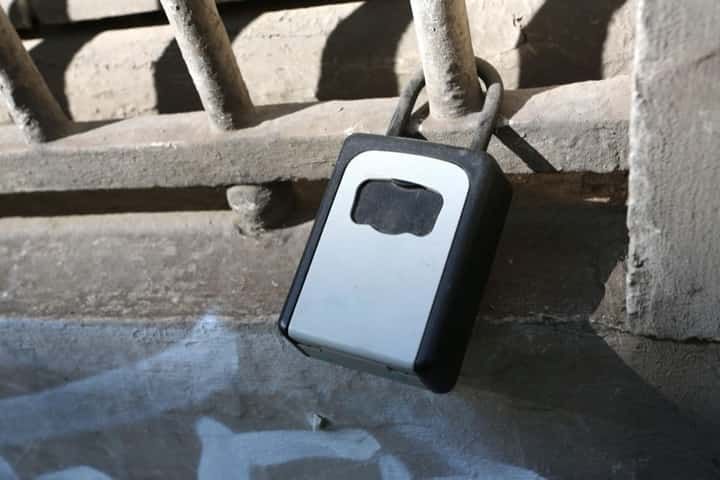
Keep your identity awayfrom anyone with bad intentionsIf you do not have security cameras, install a safe to store your valuables and personal belongings (laptop, cameras, important documents, etc.)
Protect your data online by setting up web filtering: a set of techniques that restrict access to certain sites normally available on the internet and screen off your confidential data.
Finally, if your guest is renting your entire property, consider keeping or forwarding your post to another trusted address. A simple safety measure!
Set out house rulesin your digital welcome bookWith a short-term rental, the best way to stay relaxed as a host is to require your guests to follow clear rules. With StyQR, you can not only include those house rules in your digital welcome book (consideration for the neighbours, no smoking inside your flat, etc.) but also add all the information your guests will find useful (wifi, keypad codes, practical information, local recommendations, etc.) By scanning the QR code you are issued with, they will have access to your house rules and to all the information they need for their stay.
Create your welcome book
Frequently Asked Questions
Does Airbnb's insurance cover damage to my property? No, Airbnb's insurance only covers liability if guests cause bodily injury or material damage to others. It does not protect your own property from damage such as stains, breakage, or theft. You need additional insurance tailored to short-term rentals to cover your home.
What are the advantages of digital access compared to physical keys? Digital access via smartphone lets you transfer access codes with a single click and revoke them easily after guests leave. Physical keys can be copied or lost, creating security risks. You can also manage multiple properties and control access from anywhere in the world.
How do I protect my personal data from guests? If you rent out your entire home, consider forwarding your mail to a trusted address so sensitive data isn't exposed to guests. Install cyber-filtering to restrict access to certain websites and protect confidential information. A safe also allows you to store valuables and important documents.
Why add house rules to my digital welcome book? Clear house rules help guests know expectations before arrival and contribute to a peaceful stay. They should cover neighbor respect, no-smoking policies, and other essential guidelines. By integrating them into your digital welcome book accessible via QR code, you easily provide guests with this information.
What type of surveillance camera should I install? The article does not specify a particular camera type. If you don't have cameras, it recommends installing a safe to protect valuables instead. For camera advice, consult your insurer or a security professional suited to your situation.
Here are the three security measures outlined in this article and what each one protects.
| Security measure | Coverage included | Coverage excluded |
|---|---|---|
| Airbnb insurance | Liability up to €800,000 for guest injuries and damage caused by guests | Damage to the property itself (breakage, theft, stains) |
| Digital smartphone access | Digital badge transferred with one click, easy revocation after departure, multi-property management | Loss or copying of physical keys |
| Safe deposit box | Storage of valuables and important documents out of reach | Video surveillance of access points |
| Cyber filtering | Restricts access to certain websites, protects confidential data | Physical access not monitored |
| Mail forwarding | Confidentiality of personal data if entire property is rented | Exposure to other security risks |
| House rules in digital welcome book | Access via QR code, clarity of rules before arrival, neighbourhood respect and prohibitions | Intentional rule violations |