
A virtual tour of your property: how to go about it
Let future holidaymakers explore your property with a virtual tour!
The virtual tour has become common in real estate. For your holiday rental, first check whether the platforms where you publish your listing accept its format or a link to the tour. If they do not, consider where your guests will be able to view it before investing in one.

What exactly is a virtual tour?
This kind of tour represents an apartment, house or hotel room using real images. It gives guests the chance to picture themselves at your place in a more immersive way than simply looking at photos.
A virtual tour lets guests explore your accommodation and see how the rooms connect. Check that they can access it from your listing before investing. Here is an example of a tour.

Why give it a go?
With a virtual tour, you offer your future guests a genuine way to immerse themselves in your property! They can walk through every room and get a much better sense of the space. They can easily picture their next holiday at your place.
A virtual tour shows the layout and condition of your accommodation using real images. It can complement your listing, but it does not guarantee guests' trust.
In short, a virtual tour allows you to:
- to complement your listing by showing the accommodation's layout
- to let guests view the tour 24 hours a day, 7 days a week
With the virtual tour, guests already have a foot in your door! And if you want the tour to be perfect, here is a short guide on how to furnish your accommodation.
- The guest moves through the rooms and judges the space for themselves, rather than looking at a gallery of photos.
- The tour complements the listing by showing the accommodation's layout. It does not guarantee more enquiries or a better selection of guests.
- The guest can explore the accommodation before deciding whether to book, with no guarantee they will decide faster.
- The tour remains accessible 24 hours a day, 7 days a week, without you having to respond to show the rooms.
- It demonstrates the care taken with the presentation of the property, without presuming guests' trust.
- The accommodation must be tidy and well presented before filming, since the tour is built from real images.
How to make a virtual tour of your accommodation
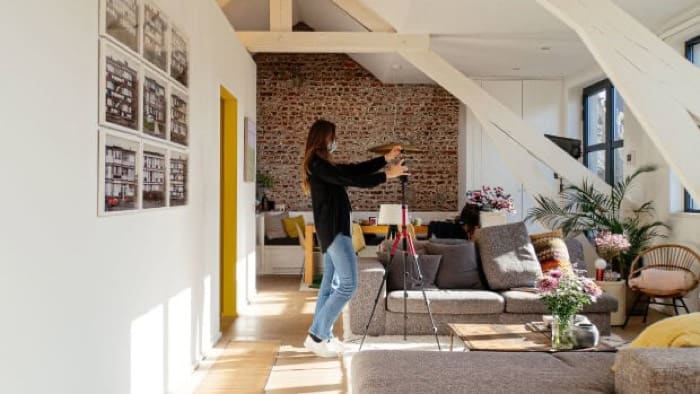
Before choosing a tool, check whether the platform where your listing appears accepts the tour format or a link to it. Creating a tour does not guarantee you will be able to publish it on your listing. Once you have checked this, tidy every room and clear the walkways. Using your phone or camera, take the shots required by the chosen tool. Show each room and the passages that connect them.
Import your images into the tool, then link the views so the guest can move from one room to another. Open the tour on a phone: check that the images display and that you can navigate throughout the accommodation.
Before paying for a tool or hiring a professional, check each step, from the listing to the final test.
| Step | What to do | What to check |
|---|---|---|
| Listing | Check whether the format or link is accepted | Guests will be able to view the tour |
| Preparation | Tidy up and clear the walkways | The rooms are ready to photograph |
| Photography | Capture every room and the connecting areas | The route covers the property |
| Assembly | Upload the images and link the views | Guests can move between rooms |
| Final test | Open the tour on a phone | The images load and navigation works |
Create a virtual tour of your accommodation: step by step
First check that your listing accepts the tour format or a link to it. Tidy the accommodation, then photograph each room and the passages that connect them with your phone or camera. Import the images into the chosen tool and link the views. Finally, open the tour on a phone to verify you can navigate throughout the accommodation.
Frequently asked questions
What is a virtual tour, concretely? It represents an apartment, house or hotel room using real images. The guest does not look at a gallery; they move through the rooms and judge the space for themselves. This is what makes the projection more immersive than simple photos.
Does it replace the photos in my listing? No. Photos show the accommodation at a glance; the virtual tour allows one to traverse the rooms and see their sequence. The guest thus has one more piece of information before booking.
Is the virtual tour reserved for real estate? No. The idea comes from real estate, where it has become common, but a house, an apartment or a hotel room can also be presented as a virtual tour. Check the formats and external links accepted on the platforms where your listing appears: if your guests cannot view the tour there, its value for that listing is limited.
What does it change about my booking enquiries? If the tour is accessible from your listing, compare the number of enquiries received before and after it was published, over periods of the same length. Note any price or seasonal changes: these can also explain a difference. This comparison does not allow you to guarantee more enquiries, a better selection of guests or their trust.
Should I prepare the accommodation before filming the tour? Yes, since the tour is constructed from real images: whatever is left on the kitchen table will appear in the tour. Tidy up, open up the spaces, carefully furnish the accommodation before shooting. The guide on how to furnish your accommodation is exactly for that purpose.
What equipment do I need to create a virtual tour of my accommodation?
A phone or camera allows you to take real images of each room. You then need a tool to turn them into a tour in which the guest can move. Before choosing one, check that your platform accepts the resulting format or a link to the tour.
Can I add a virtual tour directly to my Airbnb, Booking.com or Abritel listing?
Check for each platform whether your listing accepts the format of your tour or a link to it. If it does not, consider where guests will be able to view it before investing.
On Airbnb, do not assume you can add a virtual tour to your listing. Consult the publishing rules and your listing options to see whether the tour format or a link is accepted. If neither is possible, do not create the tour for that listing.
How much does a virtual tour cost if I make it myself or hire a provider?
If you make it yourself, you can take the images with a phone or camera, then use a tool to create the tour: the cost depends on the tool chosen. For a provider, ask for a quote. Before paying, check that your listing accepts the tour format or a link to it.
To compare the two options, factor in the tool's price and the time required to take the images and link them if you make the tour yourself. For a provider, check that the quote includes the photography and the creation of the tour.
On the same topic