Check-in and check-out made simple: our new module
Carrying out a check-in and a check-out is an important stage in any rental. It protects the guest and the owner alike. The one drawback is that it usually means being there in person, or asking someone you trust to be. Not always straightforward. That is why we will be adding this module to our welcome book in mid-May 2021!

How will the module work?
It is very simple! Every module in our welcome book is designed to make your life easier.
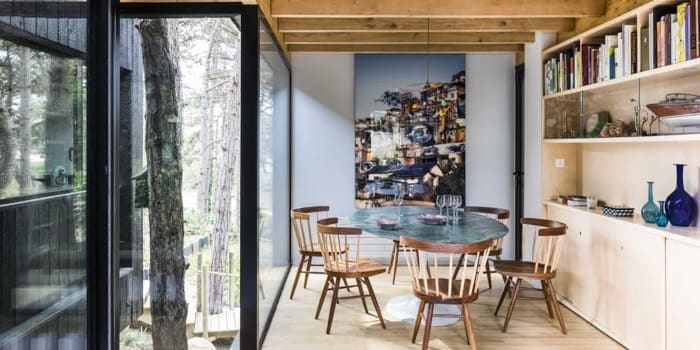
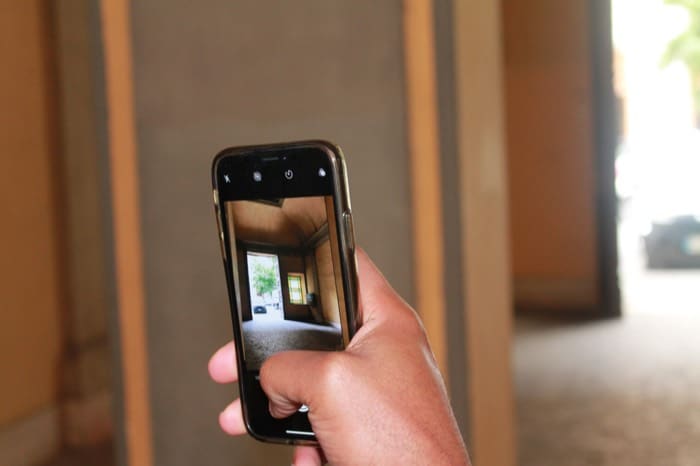
All you have to do is photograph every room you want to cover before your guests arrive. You get up to 5 photos per category (room).
As for which photos to take, that is entirely up to you! But we would advise photographing every fragile item and anything you particularly care about. That is step one: taking the photos.
Then, on departure, your guest simply completes their side with the same photos to show that they are leaving the property in perfect condition. These are live photos, so no cheating: you receive a picture of your property as it is right now. Your guest has to confirm each category one by one and verify their identity by text message. You then receive a summary and a side-by-side comparison with your own photos.
What about damage? Say the coffee machine has stopped working (it happens), your guest can flag it in a separate section that you, the owner, will find in your personal account. Easy, isn't it?

Why you will want the check-in/check-out module
First of all, for peace of mind. To protect yourself against any damage or theft (sadly, it does happen).
Then for the convenience and the independence it gives everyone. No more travelling over to inspect things in person. And your guests need not panic about not being ready in time for your visit. You are also showing them that you trust them, by not coming to check for yourself.
Finally, for health reasons! With the current crisis, it is important to find digital solutions that avoid contact. And what better way than sending photos?
With the check-in/check-out module, life is calmer and smoother for both sides!
What about potential disputes? It is up to the owner to add a clause to their terms and conditions stating that check-in and check-out are carried out via our module. We have chosen confirmation of check-out by text message, which proves that the guest is the person who completed it. StyQR cannot be held liable in any way for any disputes that may arise.


Convinced? This module will make your life easier and works beautifully alongside the other modules in our welcome book. Do get in touch with our team if you would like to know more!
Frequently asked questions
How many photos can I ask for in each room? Five at most per category, so per room. You decide which ones: we suggest starting with fragile items and with anything you would rather not replace. It is a one-off job, done before your guests arrive.
How do I know the photo was really taken on departure day? The module only accepts live photos, so your guest cannot send a picture taken from somewhere else. They then validate each category one by one and confirm their identity by text message. You receive a summary and a comparison with your own photos.
What does my guest do if something is broken? They report it in a dedicated section, kept separate from the photos. The report then appears in your personal account. A coffee machine that has given up gets declared without a single phone call.
Does this check-out hold up in a dispute? It is up to you, as the owner, to state in your terms of use that check-in and check-out go through our module. The text message validation proves that your guest is the one who completed it. StyQR cannot be held liable for any dispute.
Do I still need to be there on departure day? No, that is exactly what the module removes. You no longer have to travel over or ask someone you trust to stand in, and your guest no longer has to be ready at the time of your visit. The physical contact disappears too, which matters for health reasons.
When will the module be available? It is planned for mid-May 2021, alongside the other modules of the welcome book. Contact our team if you want more details before it opens.
Here is how the steps will be split between you and your guest, from taking the photos to the proof you can rely on if a dispute arises.
| Step | Who handles it | What it produces |
|---|---|---|
| Photos before arrival | The owner | 5 photos maximum per room |
| Check-out on departure day | The guest | Instant photos, no cheating possible |
| Room-by-room validation | The guest | Authentication by text message |
| Reporting damage | The guest | Separate section, visible in your account |
| Receiving the report | The owner | Summary and comparison with your photos |
| Clause in your terms of use | The owner | Condition for the text validation to serve as proof |