6 tips to improve your Airbnb ranking
Want to climb the Airbnb rankings but not sure how? Here are our tips!
With so many listings on Airbnb, it can be tricky to stand out from the crowd. When a guest is looking for a place to rent, they won't spend hours on every single page. What if the rental of their dreams was yours, and they scrolled straight past it? To avoid that, here are our 6 tips!

Catch the eye
Show every room and the highlights of your property with high-quality photos taken from their best angle. We have published an article on this topic.
Next, choose the main image: it’s the first photo guests will see. Showcase the sea view, the countryside or your spacious living room, depending on what sets your rental apart.

Take care of your guest reviews
Airbnb states that guest reviews and ratings are among the factors considered in the ranking of listings. After each stay, invite your guests to leave a review, without asking them for a specific rating. If several guests report the same issue, fix it.
Among the Airbnb ranking criteria mentioned here, reviews and ratings are the only ones presented as being taken into account by Airbnb. Photos, pricing, responsiveness and instant booking can help a guest choose your property, but this article does not establish that they improve its position in search results. Social media can drive visitors to your listing, without any proven effect on its ranking.

Instant booking
Instant booking allows a guest who decides their holiday on a whim to book without waiting for your approval. Enable it if you can accommodate these bookings without reviewing each request. Otherwise, keep manual approval. Nothing in this article establishes that it improves your Airbnb ranking.
Responsiveness to messages
Turn on Airbnb notifications so you see messages and can reply to guests without too much delay. Do the same for reviews. Guests may compare several properties, but replying faster than another host does not guarantee a booking. Airbnb distinguishes your response rate, the proportion of new inquiries you reply to within 24 hours, from your response time, the time you take to reply.
Does instant booking improve your Airbnb ranking? Nothing in this article establishes that. It allows guests to book without waiting for your approval: enable it only if you can accept these bookings without reviewing each request.

The table shows six actions and the effort they require. The stated benefits are possibilities, not guaranteed effects on your Airbnb ranking. For social media, the benefit to assess is the traffic they can send to your listing. Nothing here establishes that they improve its ranking.
| Lever | Action | Main benefit | Effort required |
|---|---|---|---|
| Quality photos | Photograph every room and your property's strengths | Capture attention before the traveller moves to the next listing | Medium (photography effort) |
| Main image polished | Choose a cover photo that showcases your main asset | Decisive first impression with the traveller | Low (thoughtful selection) |
| Instant Booking | Enable immediate reservation without prior approval | Captures impulse bookings; competitive edge during search peaks | Very low (one click) |
| Message responsiveness | Enable Airbnb notifications and reply quickly to enquiries | Outpace competitors in the race for the traveller's choice | Medium (daily discipline) |
| Competitive pricing | Research market rates and adjust by season | Stay attractive without cutting margins; capture price-sensitive bookings | Medium (regular monitoring) |
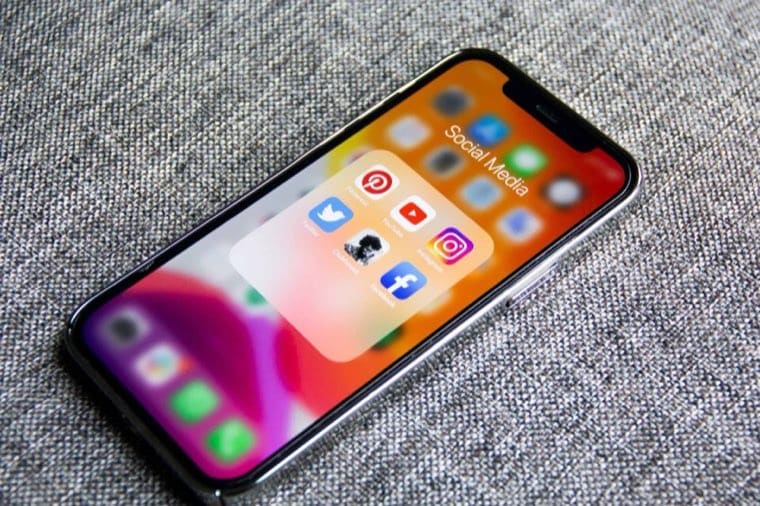
| Social media | Create an Instagram or Facebook page and share photos and property moments | Expand visibility beyond Airbnb; drive external traffic to your listing | Medium (setup + regular posting) |
Stay competitive
We're not asking you to slash your prices, just to keep pace with the competition. A dream rental that's too expensive can quickly lose out to second choice if the price gap is significant.
Keep up to date with market prices and your competitors and also adapt to seasons and quieter periods.

Finally, there’s no need to oversell your rental. Describe what matters to guests, without promising more than they will find on arrival. Also state the property’s limitations in your listing. These six actions can help your listing stand out, without guaranteeing a higher position in Airbnb search results.
Frequently asked questions
Do visits sent from Instagram improve my listing’s position in Airbnb search results?
Nothing in this article establishes that. Instagram can drive guests to your listing via the link you share, but that traffic does not guarantee a better position in Airbnb search results.
Should you enable instant booking to improve your ranking? Nothing in this article establishes that it improves your ranking. It lets a guest book without waiting for your approval, which can suit a spur-of-the-moment decision. It’s up to you to decide whether you can accept these bookings without reviewing each request.
Does replying quickly to messages improve your Airbnb ranking? This article does not establish that, nor does it set a deadline to follow. The time you take to reply and the proportion of inquiries you answer are two different things. Turn on Airbnb notifications so you see requests in time, without assuming an effect on your ranking.
Which photo should you choose as your listing’s main image? Whichever one shows what you want to highlight first, a sea view, the surrounding nature, or a spacious living room, for example. It’s the very first thing travellers will see of your home, so it deserves as much thought as the rest of the gallery.
Should you lower your prices to stay competitive? No, the article is clear on this point: it’s not about slashing your prices. It’s about staying aware of what similar listings charge and adjusting yours according to seasons and quieter periods, without necessarily going lower.
Which social networks should you use to promote your Airbnb listing? The article mainly recommends Instagram and Facebook. The idea is to share photos and everyday moments from your rental there, then add the link to your Airbnb listing to reach more potential guests.
This link can bring guests from social media to your listing. It is external traffic to Airbnb, not a better position in its search results. Nothing in this article establishes that these visits improve your ranking.
Should you show and say everything in your Airbnb listing? No, the article specifically advises against overselling your home. It’s better to clearly present the essentials and keep a few surprises for guests upon arrival, rather than revealing everything and risking disappointment.
Do guest reviews count in Airbnb’s ranking?
Yes. Airbnb states that reviews and ratings are among the factors considered in the ranking of listings. After each stay, invite your guests to leave a review, without asking them for a specific rating.
How does Airbnb measure my responsiveness to messages?
Airbnb distinguishes response rate from response time. The first corresponds to the proportion of new inquiries you reply to within 24 hours; the second refers to the time you take to reply. This article does not establish that replying faster improves your ranking.
Should I photograph every room in the property?
Show every room and the property’s highlights with quality photos. Choose angles that showcase them. These photos can help a guest choose your listing, without any established effect here on its ranking.
On the same topic